
Architecting a Scalable Workspace for Legal AI
Role:
Senior Product Designer
(UI/UX & Systems)
Tools:
Figma
The Challenge
Kelsen was envisioned as a powerful AI-driven drafting tool for legal professionals, but the initial interface lacked a cohesive structure. The existing UI was fragmented, making it difficult for users to manage high-volume research while simultaneously drafting complex documents. The challenge was to transform a "proof of concept" into a scalable, intuitive workspace that could handle hundreds of sources without overwhelming the user.
Strategic Objectives
Systemic Navigation: Replace a fragmented UI with a scalable navigation system capable of supporting document management, research libraries, and analytics.
Bridge the Research Gap: Design a seamless relationship between the "Source Library" and the "Editor" to facilitate AI-assisted drafting.
Optimize High-Volume Workflows: Create an asynchronous upload and organization system that allows users to manage massive datasets (50+ files) without interrupting their writing.
The Approach
🏗️ Establishing the Framework:
I designed a comprehensive left-panel navigation system to serve as the product's backbone. By categorizing the workspace into Documents, Collections, and Analytics, I provided a clear mental model for the user, allowing the platform to scale as new features were added.
🖥️ The Library-to-Editor Interface:
I focused on the "dual-pane" experience. By treating the Library as a persistent sidebar within the Editor, I enabled users to interact with AI-generated summaries and specific document "components" without leaving their draft. This reduced the cognitive load of switching between tabs and sources.
📋 Refining Information Density:
Legal work requires high visibility of metadata. I designed interchangeable Grid and Table views for the dashboard, ensuring that whether a user prioritized visual recognition or deep data (Authors, Dates, Case Numbers), the system remained legible and organized.
🎨 Establishing a Design Language:
To ensure the platform felt trustworthy and professional, I standardized the UI components—creating a cohesive system of buttons, input fields, and status indicators. This consistency allowed the development team to build new features faster while ensuring the user felt a sense of "stability" even as the tool’s AI capabilities grew.
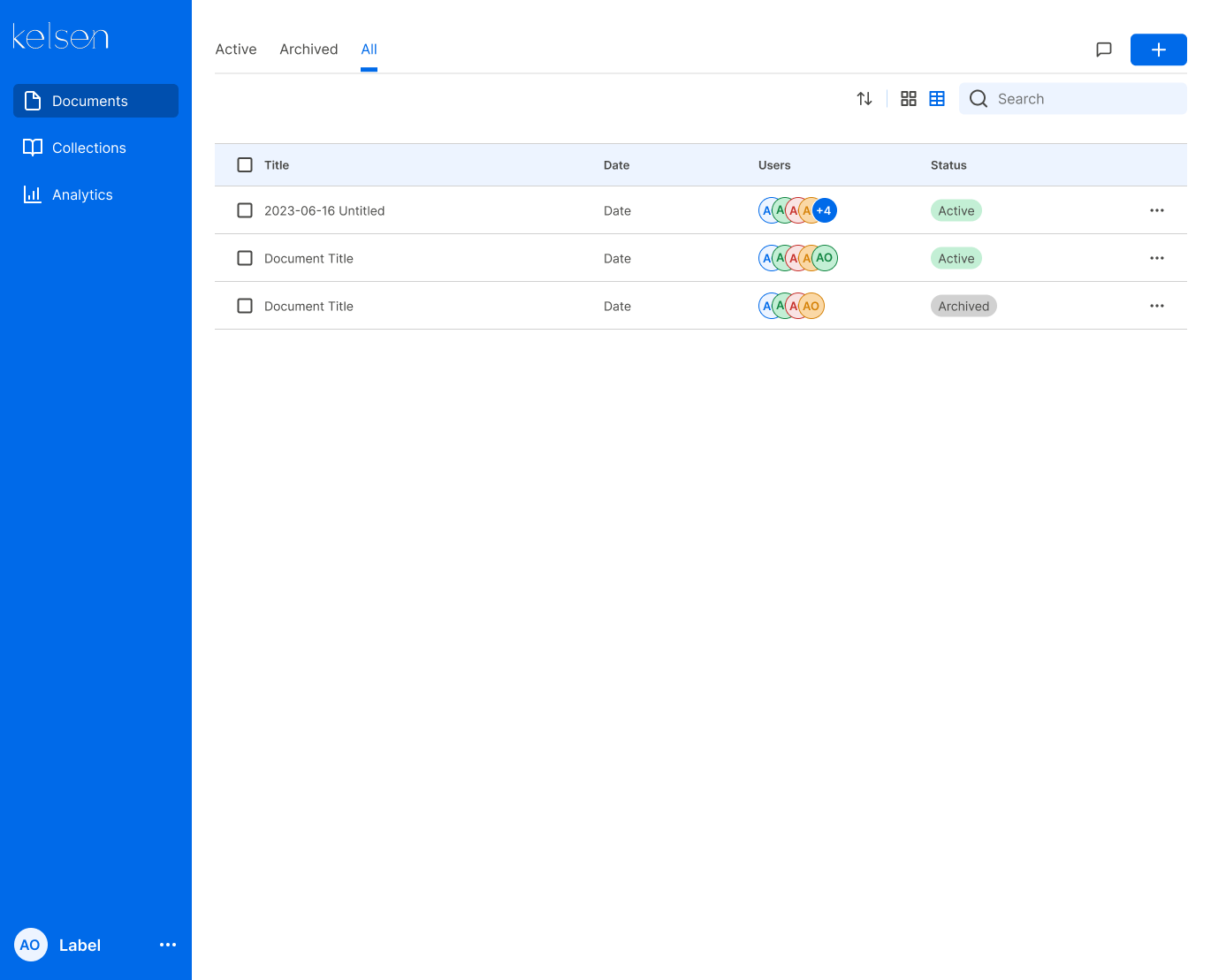
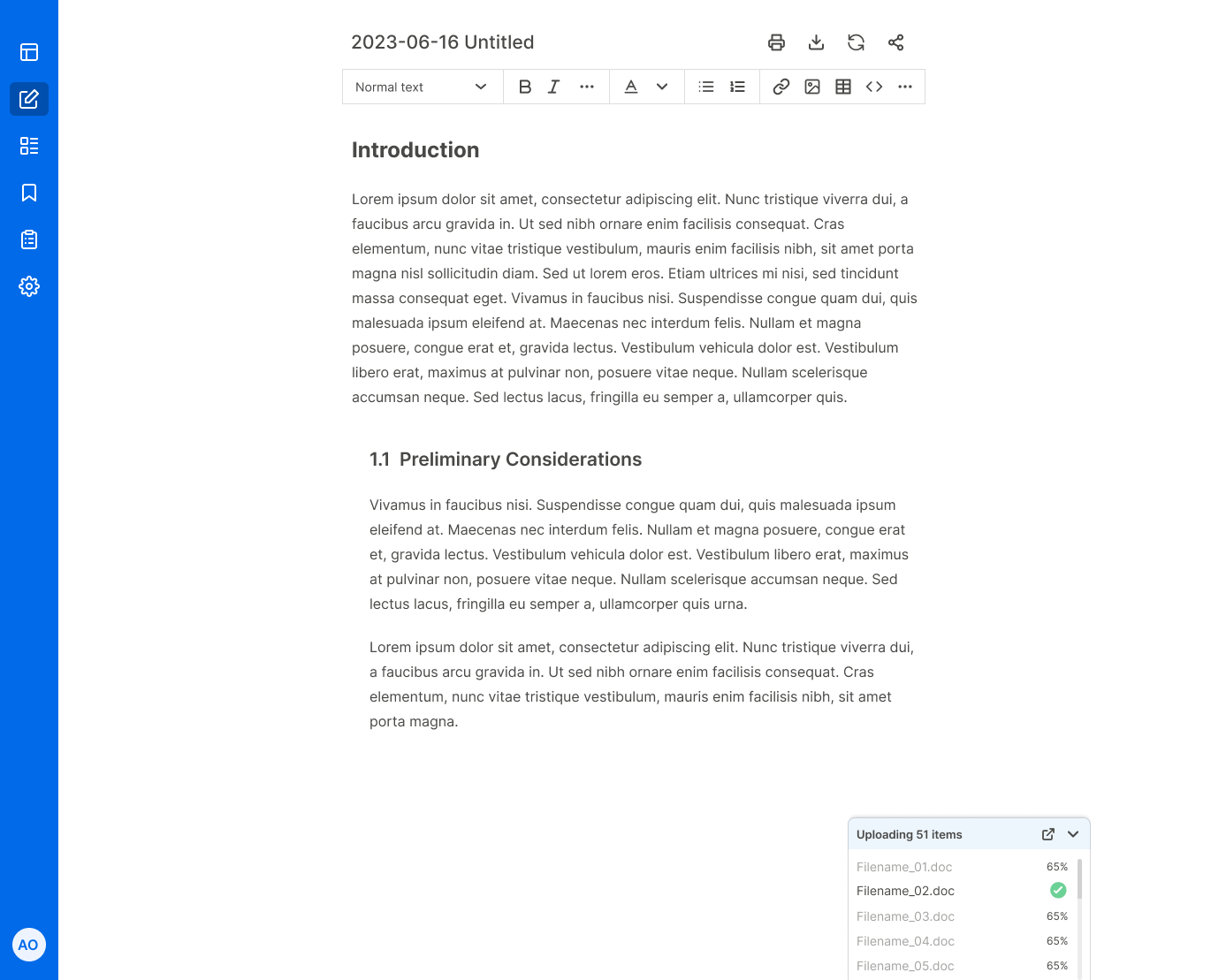
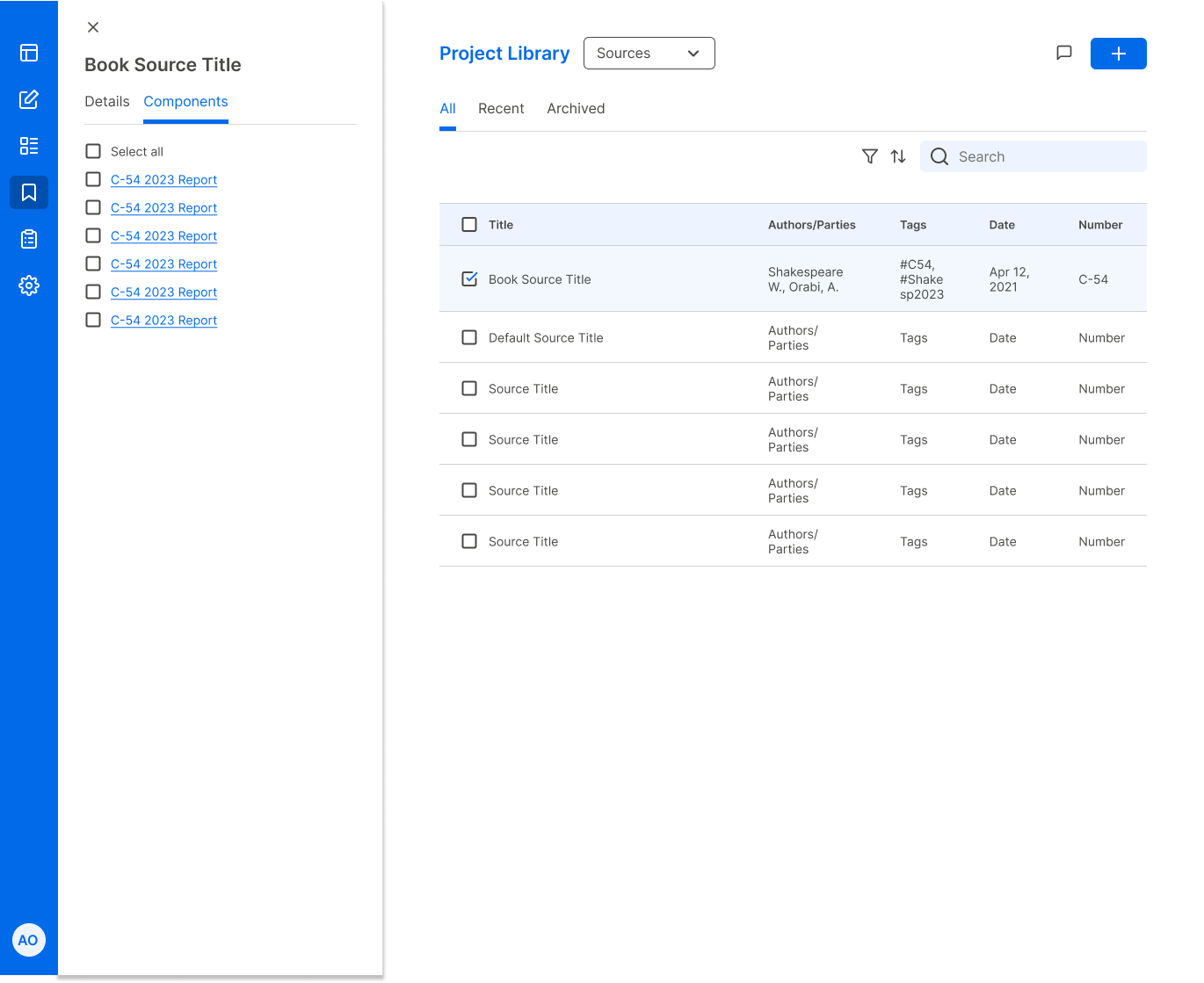
To transform Kelsen into an enterprise-ready tool, I designed a scalable navigation framework and a persistent dual-pane interface. These core structural changes bridged the gap between high-volume research libraries and the drafting environment, enabling users to manage massive datasets and AI-generated components without interrupting their focus.
The Impact
Architectural Scalability: Successfully transitioned the product from a proof-of-concept to a scalable framework that can support unlimited libraries and document types.
Reduced Cognitive Load: By centralizing the research library within the editor, I eliminated the need for multi-tab workflows, allowing users to stay in a "flow state" during the drafting process.
Enterprise Credibility: Delivered a high-density, professional UI that met the aesthetic and functional expectations of legal and research professionals.
Key Takeaway
Designing for AI isn't just about the prompts; it's about the context. By building a robust structural framework around the AI, I turned a complex technological experiment into a focused, high-utility workspace.
